2026-07-20
How to write incident status updates that build trust
- incidents
- status-page
- on-call
- postmortem
- reliability
TL;DR. During an outage your status page has a second job: holding trust while the fix is still in progress. Write plainly. Say what customers feel first, say what you are doing, and promise a time for the next update. Then keep that promise, even when there is no news. The four stages are investigating, identified, monitoring, and resolved. If you would rather not write under stress, the incident update generator drafts each one for you in your browser.
The idea of an incident commander did not come from software. It came from wildfires. In 1970s California, a run of huge fires pushed fire chiefs to study why large responses fell apart. The cause surprised them. It was not too few firefighters or too little water. It was communication. Different teams used different words and no one shared a plan. The fix was a simple system with clear roles and clear language, now known as the Incident Command System, and on-call engineers still use a version of it today.
Your status page is the communication part of that system. When something breaks, the repair happens in your code. The trust happens on the status page. This guide is about the second part: how to write updates that keep people calm while the first part is still in progress.
The words cost real money
An outage is expensive before you write a single word. In ITIC's 2024 survey of more than 1,000 companies, over 90% of mid-size and large firms said one hour of downtime costs them more than $300,000. For 41% of them, one hour costs between $1 million and $5 million. Uptime Institute's outage research points the same way: about one in five recent outages cost more than $1 million, and more than half cost over $100,000.
You do not need to be a bank for this to matter. If your store makes $2,000 a day, one bad hour during a sale can cost more than a slow afternoon, because sales are not spread evenly across the day. The size of the number changes. The shape of the problem does not.
Here is the part teams forget. Some of that cost is the downtime itself. The rest is trust, and trust is where writing helps. Many providers offer an SLA, a promise to stay up with a penalty if they miss it. The penalty is almost always a service credit, which is money back on your bill. A credit refunds your invoice, not your customer's bad afternoon. Good updates cannot bring the service back. They can protect the relationship while it is down.
The four stages of an incident
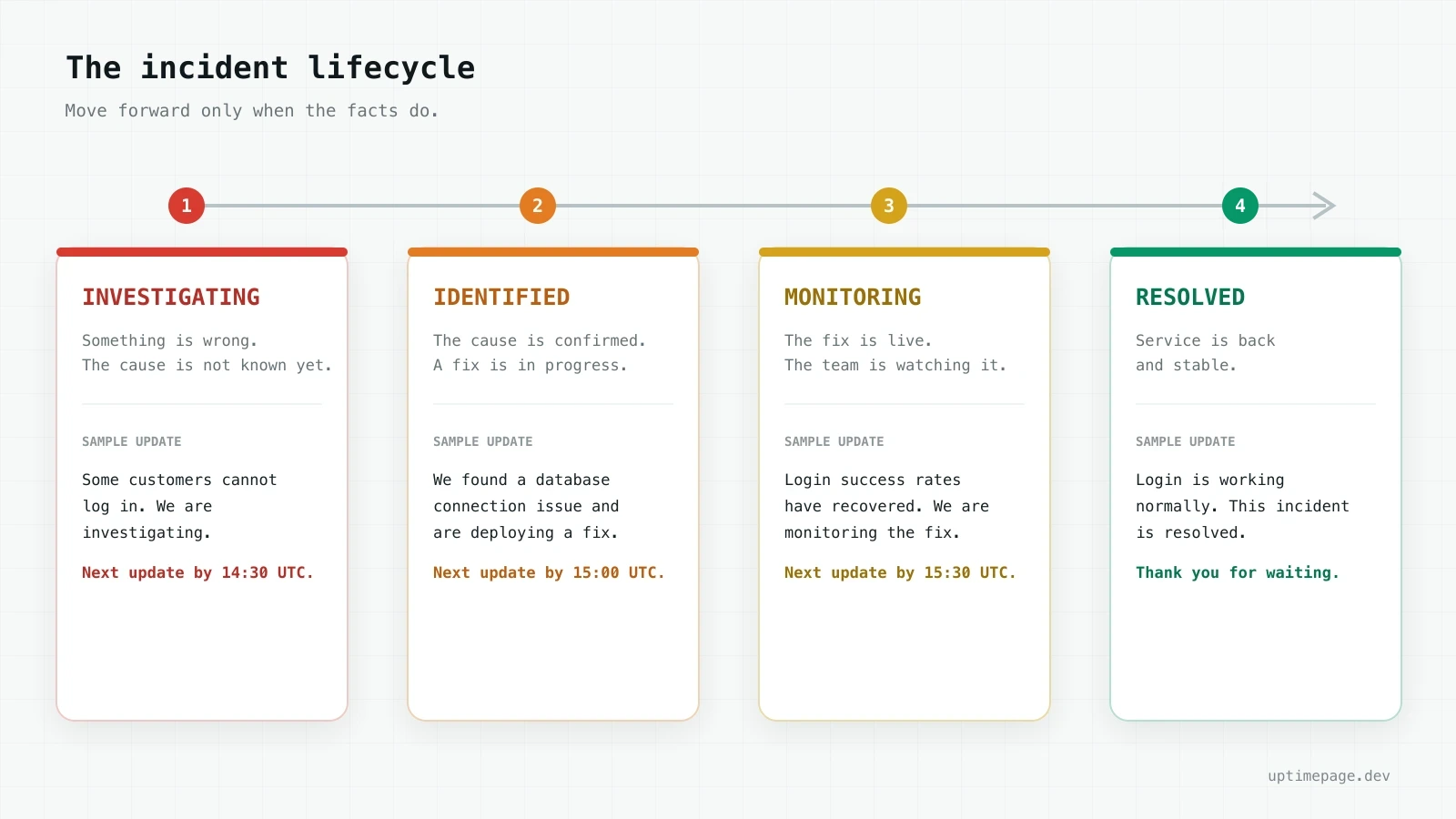
Most status pages, including the big public ones, use the same four stages. They come from a shared standard, so a customer who has read one status page already understands yours.
| Stage | What it means | What to write |
|---|---|---|
| Investigating | You know something is wrong. You do not know why yet. | Name the impact and say you are looking into it. |
| Identified | You found the cause and are working on a fix. | Say what is wrong in plain words and that a fix is coming. |
| Monitoring | The fix is live. You are watching to be sure it holds. | Say the fix is in and you are checking that it works. |
| Resolved | The service is back and stable. | Say it is over, and thank people for waiting. |
The order matters. Do not jump to identified because you have a hunch. If you say you found the cause and then change your story an hour later, every update after that is worth less. Move a stage forward only when the facts move with you.
The rules of a good update
Five rules cover almost every message.
Start with impact. Say what the customer feels before you talk about servers or databases. "Some payments are failing" is more useful than "we are seeing elevated 5xx errors on the API gateway." Only the first one means anything to a customer.
Share facts, not guesses. Say what you have confirmed. If something is still unknown, say that too. Writing "we do not yet know the cause" is fine. Inventing a cause to sound in control is not. This rule earns its place under pressure: the Uptime Institute's 2025 report found that about 40% of organizations had a major outage caused by human error in the last three years, and 85% of those came from someone not following a procedure. An incident is exactly when tired people guess.
Promise the next update. Give a real time, like "next update by 15:00 UTC" or "another update within 30 minutes." This one line does more than any apology. It tells people they can close the tab and get on with their day.
Add a timestamp and a time zone. "In 30 minutes" means nothing if the reader does not know when you posted. Every update should carry a clear time.
Keep it plain. Short sentences. No blame, no jargon, no backstory. A worried customer reads fast.
A bad update and a better one
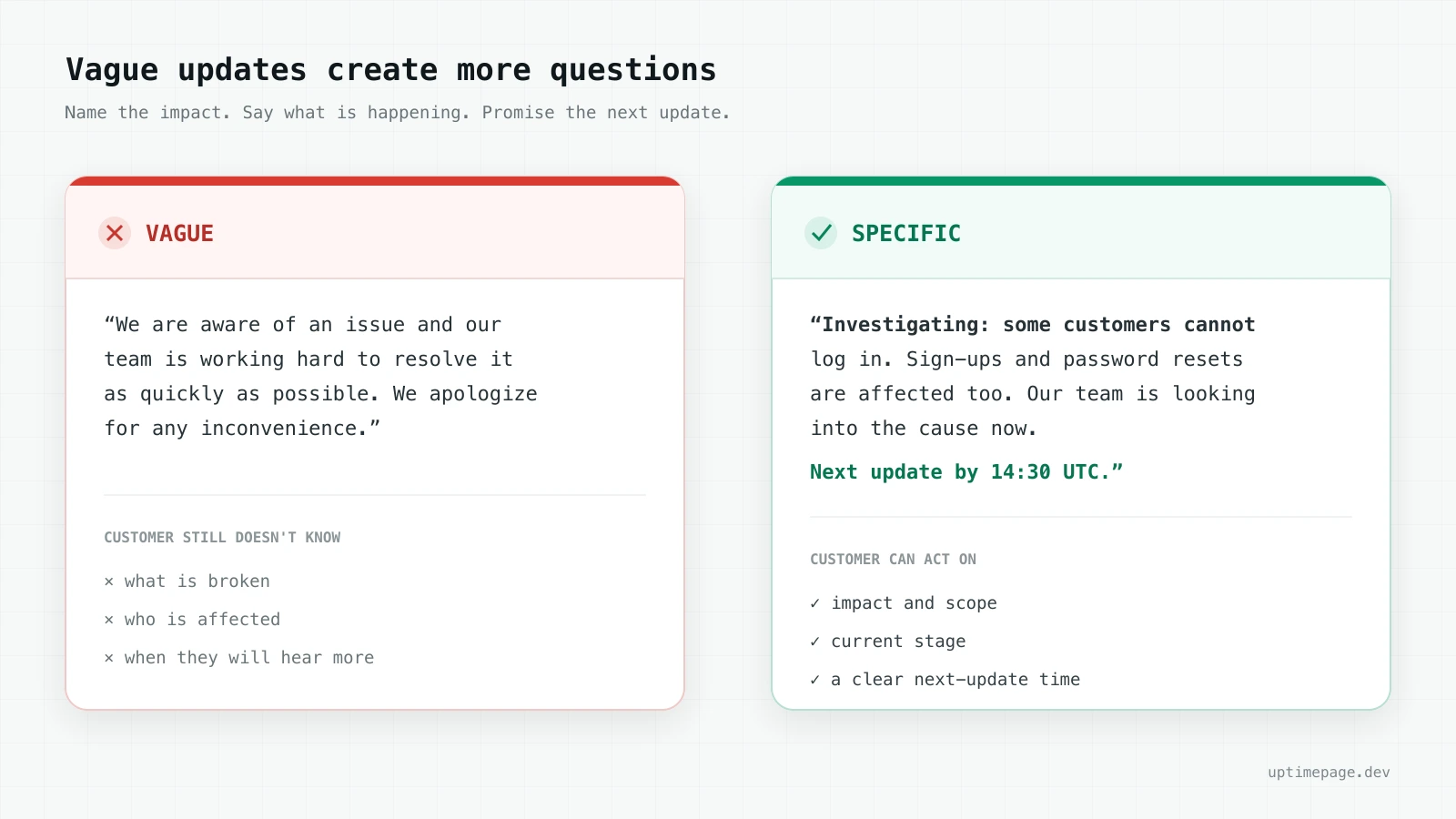
Here is a bad update of the kind you have all seen:
We are aware of an issue and our team is working hard to resolve it as quickly as possible. We apologize for any inconvenience.
It sounds polite and says nothing. What is broken? Who is affected? When will I hear more? A better version answers those questions:
Investigating: some customers cannot log in. Sign-ups and password resets are affected too. Our team is looking into the cause now. Next update by 14:30 UTC.
Same length. Only one of them lets a customer decide what to do next.
How often to post
Set the rhythm in your first message and keep it. Every 30 to 60 minutes is a good starting point for a serious outage. The exact number matters less than the promise. If you said 30 minutes, post at 30 minutes, even when the only news is "still working, no change yet." Silence after a promised time reads as "they have lost control." A boring on-time update beats an exciting late one.
Planned maintenance is the same skill, calmer
Maintenance uses three stages: scheduled, in progress, and completed. The difference is that you have time to write it well in advance. Tell people what will happen, when it will happen, and whether they need to do anything. Mark it in progress while the work runs, and completed when it is done. The tone is calmer because nothing is on fire, but the shape is the same: impact, timing, next update.
The mistake almost everyone makes
It is not the wording. It is the second update.
The first update is easy. The outage just happened, and everyone is paying attention. Then the fix takes longer than expected, the team goes quiet, and the page sits at "investigating" for two hours. From the outside, a frozen status page looks the same as a dead company.
The fix is a habit, not a talent. Decide the next-update time in your first message, set a timer, and post again when it rings. If there is no news, that is the update: no change, still working, next check in 30 minutes. The point of the promise is that people stop refreshing and trust you to come back.
Write the message, then give it a home
You can write all of this by hand during an outage. Most people write worse under stress, which is the worst possible time to start from a blank box. That is why we built the incident update generator: pick a stage, fill in a few fields, and it writes a clean message you can paste into any status page. It runs in your browser and stores nothing you type.
The message still needs somewhere to live. A status page is where customers look when your product will not load, so it should be honest and easy to reach. If you are choosing an uptime number to promise, the uptime SLA calculator turns a percentage into real minutes, and is 98% uptime good shows how small percentages hide large amounts of downtime. For the page itself, a status page you cannot fake covers how to keep it worth trusting.
Common questions
What are the stages of an incident status update?
Most status pages use four: investigating (you know something is wrong but not why), identified (you found the cause and are fixing it), monitoring (the fix is live and you are watching it), and resolved (the service is back and stable). Planned maintenance uses scheduled, in progress, and completed.
What should the first incident update say?
Say what the customer feels, say you are looking into it, and give a time for the next update. You do not need the cause yet. A first message like "some payments are failing, we are investigating, next update by 15:00 UTC" is enough.
How often should you update a status page during an outage?
Set the time in your first message and keep it. Every 30 to 60 minutes is a good starting point for a serious outage. The exact number matters less than posting on time.
What is the difference between investigating and identified?
Investigating means the cause is not confirmed. Identified means you have confirmed the cause and are working on a fix. Do not move to identified based on a hunch.
Should you apologize in an incident update?
One short, honest line is fine. Skip the long apology. A clear next-update time does more for trust than three sentences of sorry.