2026-07-22 · Updated 2026-10-04
Do I need an uptime monitor? Count what downtime costs you
- uptime
- monitoring
- downtime
- reliability
TL;DR
If nobody loses money when your service is down, you can skip it. Otherwise the question is not whether you need a monitor. It is how long you are willing to be down before you find out. Without a monitor that number is "until a customer complains". With one it is a minute or two. Price your own hour with the uptime SLA calculator, then decide.

Closed for five minutes is harmless only when somebody knows when the five minutes started.
Most people set up monitoring right after their first bad outage. The site was down for five hours on a Saturday. Nobody knew until Monday morning, when a customer sent an angry email asking whether the company still existed.
That email is expensive, and it is the wrong way to learn about your own product.
Put a number on one hour
Start with the simple part. Take your monthly revenue and divide it by 730, the number of hours in a month. That is your revenue per hour. Multiply it by the hours you were down.
| Monthly revenue | Revenue per hour | Cost of a 5 hour outage |
|---|---|---|
| $2,000 | $2.74 | $13.70 |
| $20,000 | $27 | $137 |
| $100,000 | $137 | $685 |
| $500,000 | $685 | $3,425 |
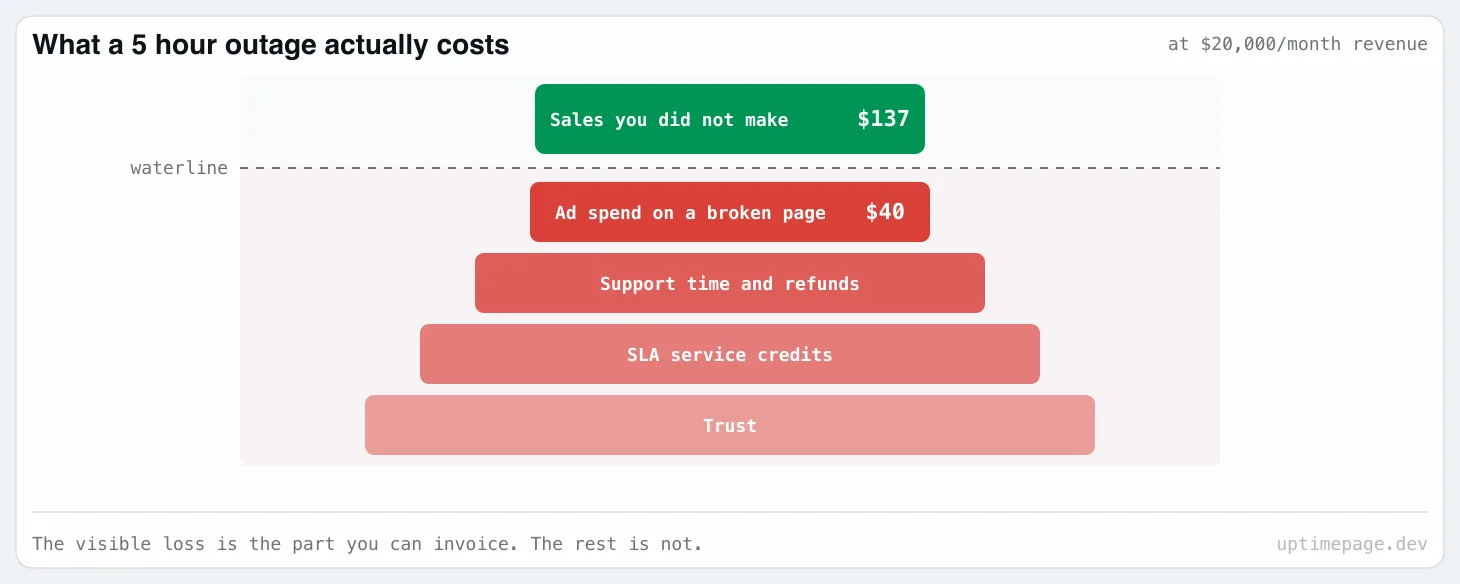
Those numbers look small, and that is why people talk themselves out of monitoring. But this table only counts the sales you did not make. It is the smallest part of the cost.
The part the table does not show
Your ads keep running. Google Ads and Meta do not know your server returns a 500, so you pay full price for every click that lands on a broken page. A campaign at $200 a day burns about $40 during a five-hour outage, and every one of those visitors now thinks your product is broken.
The rest of the cost is just as easy to miss.
The signups do not come back. Someone who wanted to buy and got an error page will not set a reminder to try again tomorrow. Traffic comes back after an outage. Those buyers do not.
Support pays for it twice. Every ticket about the outage costs staff time. Then it costs again in the refunds and free months you give out to keep people calm.
An SLA turns downtime into cash. If you promised uptime in a contract, you owe service credits on the next invoice. That is a real discount you give away because nobody noticed the problem in time.
Trust has no invoice. An outage you announce yourself, while it is happening, costs you almost nothing. An outage your customers find before you do makes them ask what else you are not telling them.
Detection time is the number you control
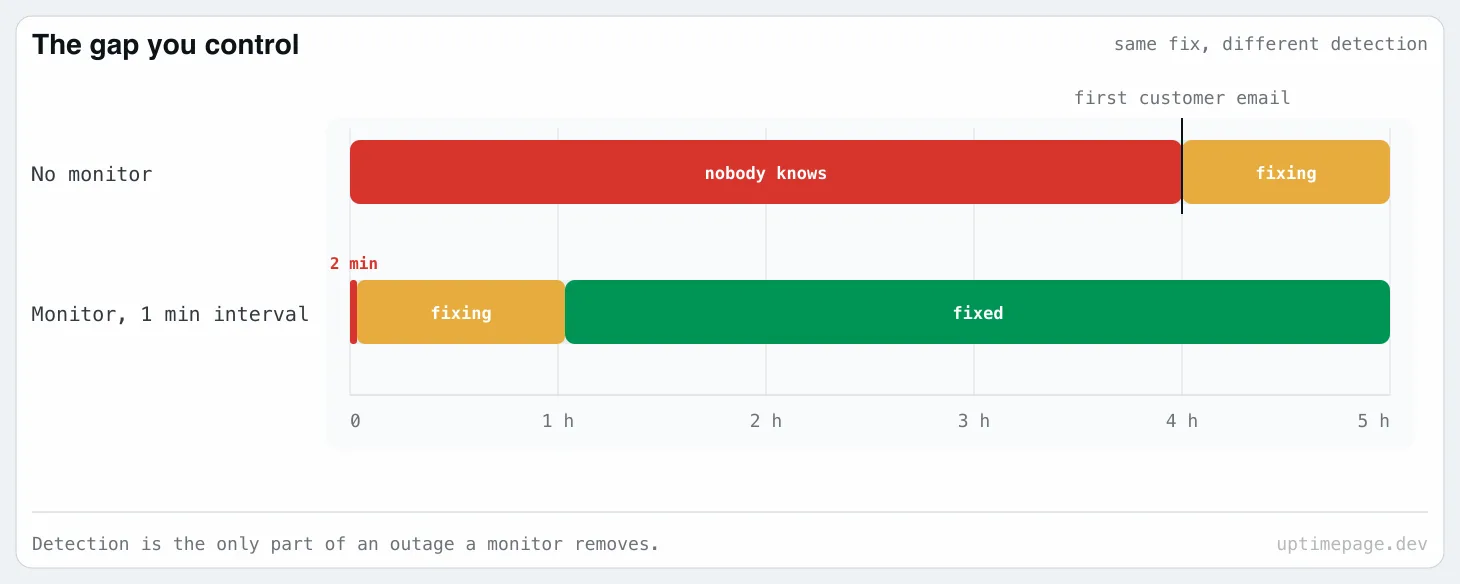
Hardware dies, providers have bad days, a deploy goes wrong. You cannot prevent all of it. One thing is under your control: the gap between the moment it broke and the moment someone knew. That gap has a name, mean time to detect, and it decides the size of the bill.
| How you find out | Typical detection time |
|---|---|
| A customer emails you | 30 minutes to many hours |
| You happen to open the site yourself | Pure luck |
| A monitor checks every minute | 1 to 2 minutes |
Everything after detection is the same work either way. You still have to diagnose and fix. The monitor only removes the dead time at the start.
This is the whole argument
At 3 a.m. on a Saturday, that dead time is most of the outage. A monitor costs a few dollars a month, or nothing if you run it yourself. Compare that with one Saturday night of being down and not knowing.
A homepage check is not enough
The most common monitoring setup in the world is one HTTP check on the homepage. It is much better than nothing, but it misses most of the ways real systems break.
Here is what can be broken while your homepage still answers 200 OK.
The database is down or full. Your marketing page is cached and static, so it loads fine. Login fails. Checkout fails. The homepage check stays green for the whole outage. Watch the database port directly with a TCP check, so you find out when the port stops accepting connections instead of when a user does.
The TLS certificate expires. Not a slow decline. At the exact expiry second, every browser shows a full-page security warning and nobody gets through, including your monitor if it does not verify certificates. The date is public and readable months ahead: the SSL certificate checker prints it for any public host.
For warning thresholds and alert testing, follow the SSL certificate expiry monitoring guide.
The cheapest check you will ever add
Certificate expiry is a total outage with a known date on it. A TLS certificate check tells you weeks in advance and takes two minutes to set up. If you add only one thing from this whole page, add this one.
The domain expires. Worse than the certificate, because recovery is not in your hands. The renewal email went to an old address, or the card on file expired. A domain expiry check gives you the same early warning.
Read the public registration date with the domain expiry checker, then confirm the renewal deadline in your registrar account.
DNS changes and you do not notice. Someone edits a record, or a registrar migration drops one. Your site is fine from your laptop because your machine cached the old answer. New visitors get nothing. A DNS check compares the answer against what you expect, and does it from outside your network.
If two lookups disagree, compare DNS resolver answers before changing the record again. Different CDN addresses can both be correct.
A background job dies silently. The nightly backup, the invoice generator, the queue worker. Nothing throws an error, the process just stopped, and you find out weeks later when you actually need the backup. Probing from outside cannot catch this, because there is nothing to probe. A heartbeat check works the other way round. The job calls a URL every time it finishes, and the monitor alerts you when that call does not arrive on time. There is a longer version of this failure, with sources, in why a cron job can fail for months without telling you. On WordPress the scheduler itself waits for visitors, which is why posts end up marked "Missed schedule".
The login form breaks. Every endpoint answers, every status code is 200, and the button does nothing because a JavaScript bundle failed to load. A browser flow check runs the real steps in a real browser, types the password, and tells you the user journey is broken.
If the browser keeps bouncing between pages instead, trace the redirect loop to find where the request gets sent back.
One region cannot reach you. Your site is up from Europe and dead from Singapore, because of a routing problem or a firewall rule. A single-region check reports 100% uptime while some of your customers see nothing. Check from more than one place.
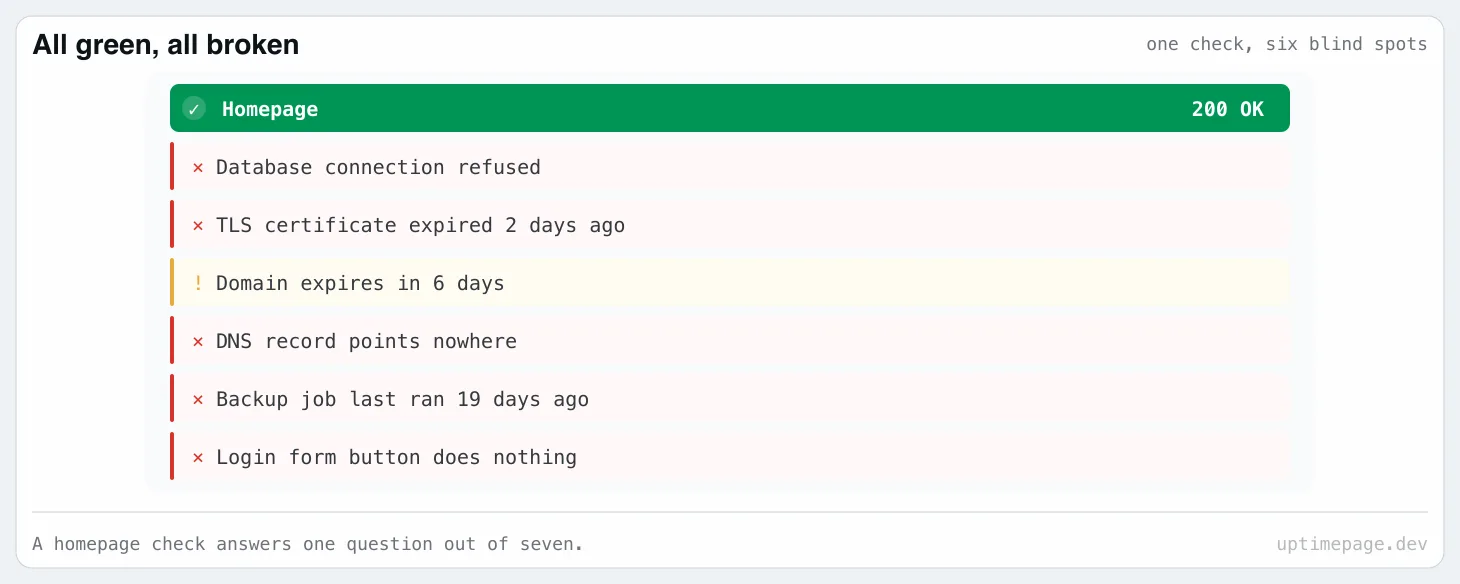
Same idea in every case: monitor the thing that costs money when it fails, not the thing that is easiest to check.
What to set up first
If you have twenty minutes, do these in order. Each one takes about two minutes.
- HTTP check on the page that makes you money, the checkout or the signup, not the homepage.
- TLS certificate expiry on your main domain.
- Domain registration expiry.
- TCP check on the database port.
- Heartbeat check on your backup job.
- Alerts to a channel you actually read at night, which is a phone, not an email inbox.
Then stop. Six checks that people trust beat sixty that everyone learned to ignore. We wrote about why the monitor should stay boring rather than clever.
Does downtime hurt your search ranking?
A little, but the effect is often overstated. A short outage does not hurt you. Googlebot gets an error, backs off, comes back later, and nothing changes in the rankings. Uptime is not a ranking factor you can win.
Repeated or long outages are a different problem. Crawling slows down when a site keeps failing, and after long enough, pages start falling out of the index. Coming back takes weeks of crawling, not hours.
Slow pages are worth watching too. Response time feeds into Core Web Vitals, which is a real ranking signal, and pages usually get slower over months instead of all at once. A monitor that records response time shows you the trend before it costs you anything.
So the honest version: monitoring protects your search traffic. It does not grow it. Treat it as insurance.
When you can skip it
Some things really do not need a monitor. An internal wiki that three people read. A staging server. A side project with no users and no revenue. If the answer to "what happens if this is down for a day" is "nothing", do not add alerts you will end up muting.
The moment somebody pays you, or depends on you, the answer changes.
Key takeaways
- Price one hour first. Monthly revenue divided by 730 is your revenue per hour, and it is the smallest part of what an outage costs you.
- Ad spend, lost signups, support time and SLA credits are the rest of the bill, and none of them show up on the invoice as "downtime".
- Detection time is the only part you control. A customer email takes hours. A monitor takes a minute.
- A homepage check misses the database, the certificate, the domain, DNS, dead background jobs and a broken login form.
- Certificate and domain expiry are outages with a known date. Those two checks are pure profit.
- Six checks people trust beat sixty they mute.
Common questions
Do I really need an uptime monitor?
You need one if money, users, or your reputation depend on the service staying up. Without a monitor, your detection time is however long it takes a customer to notice and write to you, which at night is often hours. With one it is a minute or two.
How much does downtime cost?
Take your monthly revenue and divide it by 730 to get your revenue per hour, then multiply by the hours you were down. Add the ad budget you kept spending on a broken page, the support time, the refunds, and the customers who never came back.
Is a free uptime monitor enough?
For one or two sites, often yes. Free tiers differ most in how often they check: some give you five minutes, ours gives 60 seconds on 50 monitors. You outgrow free when you need several regions, a database or a background job watched, or an alert that reaches a phone at 3 a.m.
What should I monitor besides my website?
Watch every part that can fail on its own: the API, the database port, the TLS certificate, the domain registration, your DNS records, your background jobs, and the login or checkout flow. A homepage check passes while any of these are broken.
Does downtime hurt SEO?
A short outage does not. Google retries and forgets it. Repeated or long outages are different, because crawling slows down and pages can drop out of the index, and getting them back takes weeks.
Start with one check
We build Uptimepage because we wanted this for our own services. It checks from several regions and covers HTTP, TCP, ping and DNS, TLS and domain expiry, heartbeats for background jobs, and browser flows for logins. It also gives your customers a status page to read during an incident. The whole thing is open source, so you can run it on your own server if you prefer.
Pick the page that makes you money. Add one check. You can do the other five later.