2026-07-24 · Updated 2026-09-05
Your domain can expire while your uptime monitor stays green
- domain expiry
- monitoring
- uptime
- dns
TL;DR
One HTTP check on your homepage is not enough to know your site works. It cannot tell you when your domain expires, because an expired domain still returns 200 OK from a parking page. Mail dies at the same time, just as quietly, and you keep losing money while every monitor stays green. The fix is not one clever check. It is a few plain ones, starting with the two that fail on a known date: domain and TLS expiry.
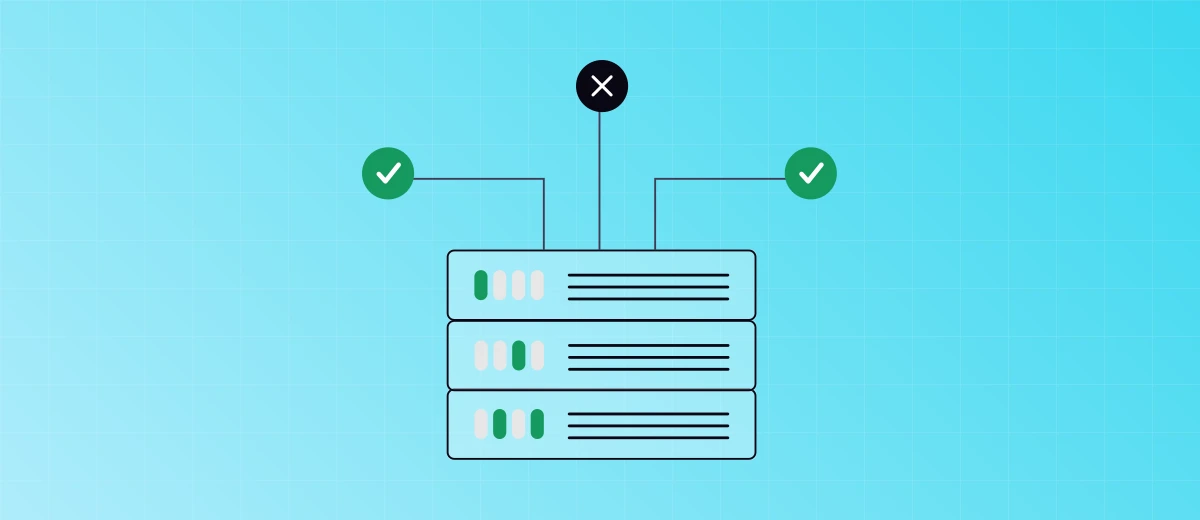
Two checks green, the server behind them is down. A status check cannot tell the difference.
I keep seeing new products treat reliability as something that takes care of itself. You ship the site, you watch it load once, and you assume it will keep loading. Hosted once, up forever. That is the most expensive assumption a young team can make, because nobody is watching on the day it stops being true.
So ask one honest question. Is one HTTP check on your homepage enough to know your whole site works?
For most teams it is not. Here is a real case that shows why.
The site was gone, but it answered 200 OK
I was looking at a startup's site last week and it would not load right. Not an error, not a timeout, just the wrong page. The domain had expired two days earlier.
When a domain lapses, the registrar does not switch the site off. It points the domain at its own parking page, the "this domain may be for sale" one. That page is a normal web page. It returns 200 OK and loads fast. It stays that way for a while too, because an expired domain is not deleted the next morning (more on that clock below).
So the monitor sees a healthy site. Green light, no alert, everyone asleep. What could be wrong?
Your domain expired. You knew the date once, on the day you bought it a year or two ago. You told yourself you would renew closer to the time, and then you forgot. The card on file lapsed, or the reminder went to an inbox you no longer read.
Now your customers cannot get in. They panic. They email to ask whether you are still in business. And they get no answer, because the mail died with the domain too.
Why the mail dies with it
The registration carries your MX records, so when it lapses, mail to every address on the domain starts bouncing. The website looks up and the inbox goes silent, and the two failures do not obviously connect. That is why the angry email never reaches you. You can see it for yourself in a few seconds: read the MX records with the DNS lookup tool, and an expired domain comes back with none.

The front page still answers. Behind it, nothing is running.
And the meter keeps running. While the page says 200, your ads keep sending paid clicks to a parking lander, signups never arrive, and recovery is not fully in your hands. Two days down is not a rounding error either, because downtime adds up faster than the percentages suggest. Once a domain enters redemption after expiry, getting it back can cost far more than a renewal, and the registry sets the clock, not you.
Your own uptime check would miss it too
I build an uptime monitor, so here is the uncomfortable part. My own HTTP check would have called that dead site up too. A 200 is a 200. A status-code check cannot tell a real page from a parking page, and it should not pretend that it can.
That is the trap. One HTTP check on the homepage, the most common setup there is, is blind by design. The site answers, the code is green, and the part that pays your bills is broken behind it.
One check is not enough, set up several
So how do you avoid reading about your own outage in a customer's email? Not with one cleverer check. With a few plain ones, each watching a different way to fail. Start with the two that hand you a date instead of a surprise.
- Domain expiry. Reads the registration record and warns you weeks before the day it lapses.
- TLS certificate expiry. The same shape, a full outage with the date printed on it in advance. Read the date on your own host with the SSL certificate checker.
The SSL monitoring walkthrough covers the next step: setting warning thresholds and testing the notification.
Then cover the failures a homepage check never sees: a TCP check on your database port, a DNS check that reads the answer from outside your own network, and a heartbeat for the backup job that dies without a sound. The full list is in do I need an uptime monitor.
If a domain or nameserver change leaves you seeing different answers, use the DNS resolver troubleshooting guide to compare cached records with the authoritative nameservers.
Six checks you trust beat one that only ever watches the front door.
How to set up domain expiry with an alert
Start with the domain expiry checker to read the public registration date. If the registry does not publish one, check your registrar account. A future registry date is not proof that your renewal payment is settled.
Two minutes now buys you weeks of warning later. On Uptimepage:
- Add a monitor and choose the Domain expiry type.
- Enter the registered domain, for example
yourbusiness.com, not a subdomain. - Set the thresholds in days. A common choice is a warning at 30 days and a critical alert at 7.
- Attach a notification channel you actually read. Telegram, Slack, PagerDuty, SMS, a webhook, or email all work. Pick the one that reaches you at night.
From then on it checks once a day, warns you when the date crosses your line, and reminds you as it gets close. No page-watching, no false green.
Key takeaways
- One HTTP check on the homepage is not enough. It stays green while the domain, the certificate, DNS, or a background job is broken.
- An expired domain serves a parking page that returns 200 OK, so status-code monitors report it as healthy.
- Email dies at the same time and even more quietly, because the MX records lapse with the registration.
- You keep losing money the whole time: paid clicks to a dead page, lost signups, and a slow, costly recovery.
- Add the checks that fail on a known date first, domain and TLS expiry, then the rest.
Common questions
Why does an expired domain still return 200 OK?
An expired domain still returns 200 OK because the registrar parks it on a lander page instead of taking it offline. The old server is gone, but the parking page is a real web page that answers normally, so a check that only reads the status code sees success.
How long before an expired domain is gone for good?
You usually get a month or two. After a gTLD like a .com expires, the registrar parks it during a grace period, then it enters a 30-day redemption period where the site goes dark but you can still get it back for a fee, then a short pending-delete stage before it is released to anyone. ICANN's renewal and expiration FAQ lays out the full clock.
Is one HTTP monitor enough?
One HTTP check on your homepage is not enough. It stays green while your domain expires, your certificate lapses, your DNS changes, or a background job dies, because none of those show up as a bad status code on the front page.
What else breaks when a domain expires?
Your email breaks at the same moment and more quietly than the website. When the registration lapses the MX records go with it, so mail to your addresses starts bouncing while you are still looking at a page that loads.
How much warning do you get before a domain expires?
As much as you set. A domain expiry check reads the registration date and can warn you weeks ahead, then again as the date gets close, which matters because recovery after the fact is slow and sometimes expensive.
Watch the date, not just the front door
I build Uptimepage because I wanted checks like this for my own services. It covers domain and TLS expiry, HTTP, TCP, ping and DNS, heartbeats for background jobs, and browser flows for logins, from several regions, with a status page for your customers. It is open source, so you can run it on your own server if you prefer.
The date is already set. It is sitting in the registry right now, months ahead of you. The only question is whether you find out before your customers do.